
Virtual Background Etiquette: Do's and Don'ts for Professional Calls
Master virtual background etiquette with this guide to professional video call standards. Learn what works, what doesn't, and how to make the right impression every time.
Virtual backgrounds have become standard in professional video calls. But like any professional tool, there's a right way and a wrong way to use them. This guide covers the etiquette rules that help you look polished rather than amateur.
The Fundamental Rule
Match your background to your context.
A beach scene might work for a casual team happy hour but would be inappropriate for a client presentation. A branded professional background works almost everywhere. Always consider your audience and the meeting purpose.
The Do's
Do: Choose Professional Settings
The safest virtual backgrounds are professional environments:
- Modern office spaces
- Clean, minimal rooms
- Subtle, non-distracting scenes
- Branded backgrounds with your company logo
These choices are universally appropriate and won't raise eyebrows.
Do: Test Before Important Calls
Virtual backgrounds behave differently based on:
- Your lighting
- Your camera quality
- Your computer's processing power
- What you're wearing
Always test your setup before important meetings. Check for:
- Clean edges around your hair and shoulders
- No flickering or glitching
- Natural-looking blend
Do: Ensure Good Lighting
Virtual background technology works best with:
- Front-facing light (window or lamp in front of you)
- Even illumination
- No harsh backlighting
Poor lighting causes choppy, unprofessional edge detection.
Do: Keep It Consistent
Pick a background and stick with it:
- Same background for similar meeting types
- Builds recognition and professionalism
- Avoids distraction of constant changes
Do: Consider Your Industry
Some industries have different norms:
More formal (finance, legal, enterprise):
- Conservative, office-style backgrounds
- Subtle or no branding
- Traditional aesthetic
Creative (design, marketing, startups):
- More flexibility in style
- Brand-forward backgrounds acceptable
- Modern, trendy aesthetics work
Tech:
- Generally flexible
- Clean, modern backgrounds preferred
- Branded backgrounds common
Do: Match Your Attire
Your background and clothing should work together:
- Avoid wearing colors that blend into your background
- Consider how patterns interact
- Ensure visual contrast between you and the scene
Do: Have a Backup Plan
Technology fails. Have options:
- Know how to quickly disable virtual background
- Ensure your real background is acceptable as fallback
- Test backup options before important calls
The Don'ts
Don't: Use Distracting Backgrounds
Avoid backgrounds that pull attention from you:
- Moving video backgrounds
- Busy, cluttered scenes
- Bright colors or patterns
- Novelty scenes (beach, space, memes)
Your background should enhance, not compete with, your presence.
Don't: Use Branded Competitors
This seems obvious, but:
- Don't use another company's branding
- Avoid backgrounds with visible logos that aren't yours
- Check stock backgrounds for unintended branding
Don't: Ignore Technical Issues
If your virtual background is glitching:
- Turn it off rather than suffer through
- A real background (even imperfect) beats a malfunctioning virtual one
- Address the issue before your next call
Signs of technical issues:
- Parts of you disappearing
- Edges flickering constantly
- Significant lag or delay
Don't: Change Backgrounds Mid-Call
Switching backgrounds during a meeting:
- Disrupts the visual flow
- Draws attention to your background (not you)
- Looks unprofessional
Set your background before joining and leave it.
Don't: Use Inside Jokes or Memes
Even in casual meetings:
- Not everyone will get the reference
- Can come across as unprofessional
- May be inappropriate for unexpected attendees
Don't: Forget About Audio
Background choice often correlates with environment:
- Kitchen backgrounds don't work if viewers hear dishes
- Office backgrounds feel wrong with kids in background
- Ensure your audio matches your visual presentation
Don't: Over-Brand
Branded backgrounds are great, but:
- Logo should be subtle, not billboard-sized
- Multiple logos look cluttered
- The background should feel natural, not like an ad
Context-Specific Guidelines
Client Calls
Recommended: Professional office, branded background Avoid: Casual, playful, or personal scenes Priority: Trust and credibility
Team Meetings
Recommended: Consistent, professional background Acceptable: Slightly more casual depending on culture Priority: Cohesion and approachability
Interviews (as Interviewer)
Recommended: Company-branded or professional office Avoid: Anything too casual or personal Priority: Representing your company well
Interviews (as Candidate)
Recommended: Clean, professional background Avoid: Branded backgrounds (not your company yet) Priority: Looking prepared and professional
Presentations / Webinars
Recommended: Clean background that doesn't compete with slides Consider: Event-branded backgrounds if provided Priority: Content visibility
All-Hands / Large Meetings
Recommended: Company-branded for consistency Follow: Whatever standard your organization sets Priority: Collective professionalism
Casual / Social Calls
Acceptable: More creative or personal choices Still avoid: Anything offensive or too distracting Priority: Balance fun with appropriateness
Industry Standards in 2026
Virtual background etiquette has evolved:
Now widely accepted:
- Branded professional backgrounds
- High-quality virtual office settings
- Blur as a valid choice
Still debated:
- Video/animated backgrounds (generally avoid)
- Very creative backgrounds (context-dependent)
- No background vs. virtual background preference
Clear no-go:
- Offensive or inappropriate images
- Competitors' branding
- Low-quality, glitchy implementations
Making the Right Choice
Decision Framework
When choosing a background, ask:
- Who's in the meeting? (client, team, executive)
- What's the purpose? (presentation, discussion, social)
- What's your role? (presenter, participant, interviewer)
- What's your company culture? (formal, casual, creative)
When in Doubt
If unsure, default to:
- Professional office background
- With subtle company branding
- Tested and verified working
- Consistent with your usual presence
This combination is appropriate for virtually any professional context.
Platform-Specific Notes
Zoom
- Extensive background library
- Good custom upload support
- Studio Effects can help edge detection
Microsoft Teams
- Admin can set organizational backgrounds
- Good for enterprise consistency
- Together Mode changes background dynamics
Google Meet
- Simple, clean implementation
- Fewer built-in options
- Easy custom upload
Creating Your Professional Background
The best approach is a branded virtual background that you can use consistently:
Benefits:
- Always appropriate for professional contexts
- Builds brand recognition
- No decision fatigue
- Consistent professional image
Process:
- Create your branded background (30 seconds)
- Download and add to your video platforms
- Use consistently for all professional calls
- Update occasionally to keep fresh
Quick Reference Card
Always OK:
- Professional office backgrounds
- Branded company backgrounds
- Subtle, clean scenes
- Blur
Context-Dependent:
- Creative/artistic backgrounds (know your audience)
- Personal but professional spaces (home office)
- Seasonal themes (company culture)
Never OK:
- Offensive or controversial content
- Competitor branding
- Distracting animations
- Poor-quality, glitchy backgrounds
Conclusion
Virtual background etiquette boils down to thoughtfulness. Consider your audience, match your context, and prioritize professionalism. When done right, virtual backgrounds enhance your presence rather than distract from it.
The easiest path to consistent etiquette: create one great branded background and use it for all professional calls. You'll always be appropriately presented, and you'll never have to think about it again.
Ready to elevate your video calls?
Create professional branded backgrounds that make every meeting a branding opportunity.
Related Articles
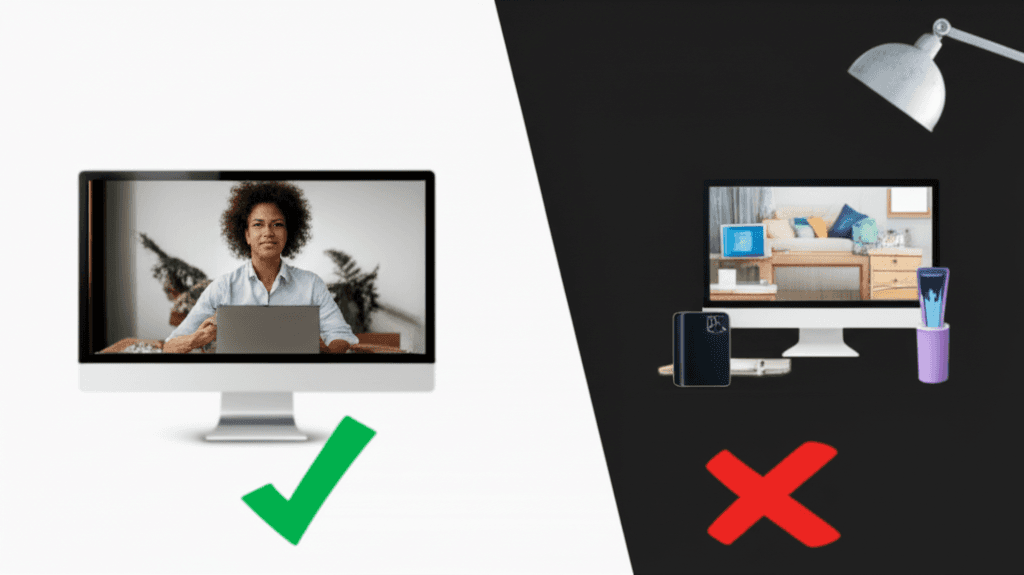
Virtual Background Dos and Don'ts: 12 Rules for Professional Video Calls
Master virtual background etiquette with these 12 essential dos and don'ts. Avoid common mistakes and look professional on every video call.
How to Set Up Virtual Backgrounds in Zoom: Complete 2026 Guide
Step-by-step guide to setting up virtual backgrounds in Zoom, including system requirements, best practices, and troubleshooting tips for professional video calls.

Virtual Background Lighting: Pro Tips for Perfect Video Calls
Master the art of lighting for virtual backgrounds. Learn professional techniques for ring lights, natural light, and optimal camera placement to look your best on video calls.